FOR OWNERS
Plan with a shared reference.
Keep a dated record, explain improvement areas to contractors, and compare visible conditions before and after work.

WEMAD · MY WORK
Explore WEMAD aerial mapping for farms, property improvements, and construction, with practical examples for farmers, owners, builders, and remodelers.
MY WORK · FARMING & FIELD MAPPING
The farmer wanted a clearer view of water runoff and elevation changes across the fields. WEMAD captured overlapping aerial photographs to create a photographic orthomosaic and a colorized surface-elevation view.
Together, these views give the farmer a shared reference for a drainage walk, conversations with a drainage contractor, and future comparisons of visible field conditions.
The numbered arrows point to places to investigate. They do not indicate water-flow direction or confirmed drainage problems.
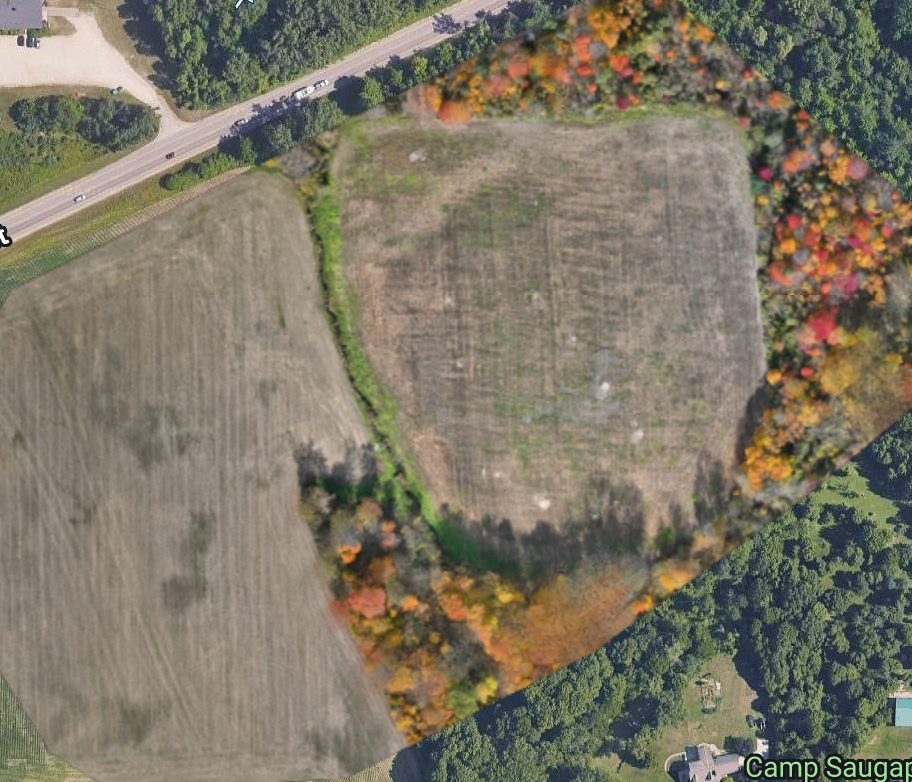
Use visible field edges, cover, and landmarks to locate the same review areas on the ground.
Open the original photo map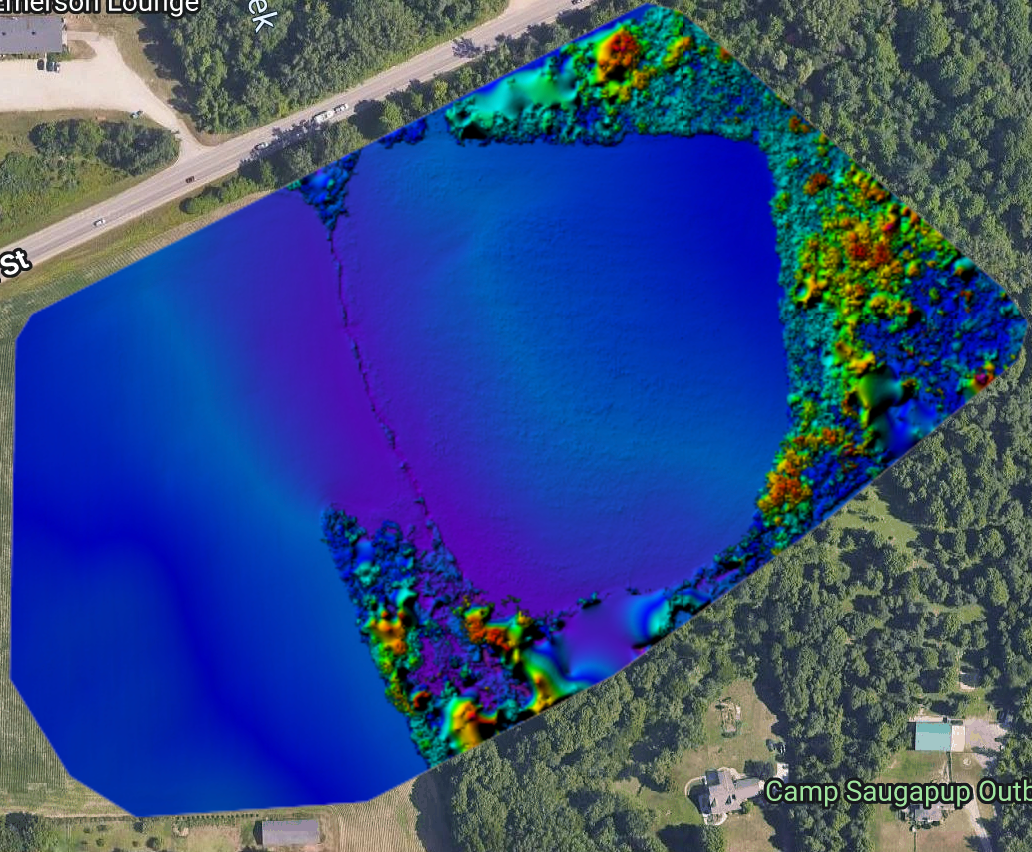
Colors describe the modeled visible surface. This supplied screenshot has no elevation legend; numerical heights and slope must be checked in the source data.
Open the original color viewWHAT TO LOOK AT · WHAT TO CHECK NEXT
A narrow vegetated strip separates the two field areas.
The cropped area meets a wooded margin at the bottom of these views.
The modeled surface changes color across this part of the field.
Trees appear in the photographic view and contribute height to the surface model.
FROM IMAGERY TO BETTER FARM DECISIONS
Review these locations after a typical rainfall and record any standing water, erosion, and the farmer’s history of wet areas. Pair those observations with verified ground elevations, soil conditions, and existing drainage features before choosing improvements.
A surface model includes vegetation. Blue and purple areas in this view are not a measurement of soil moisture or proof of standing water. These annotations identify review locations; they are not a completed drainage assessment.
Reading the example: USGS: surface and terrain modelsUSDA NRCS: field ponding assessment
MY WORK · THE BELVEDERE & NEW PAVILION
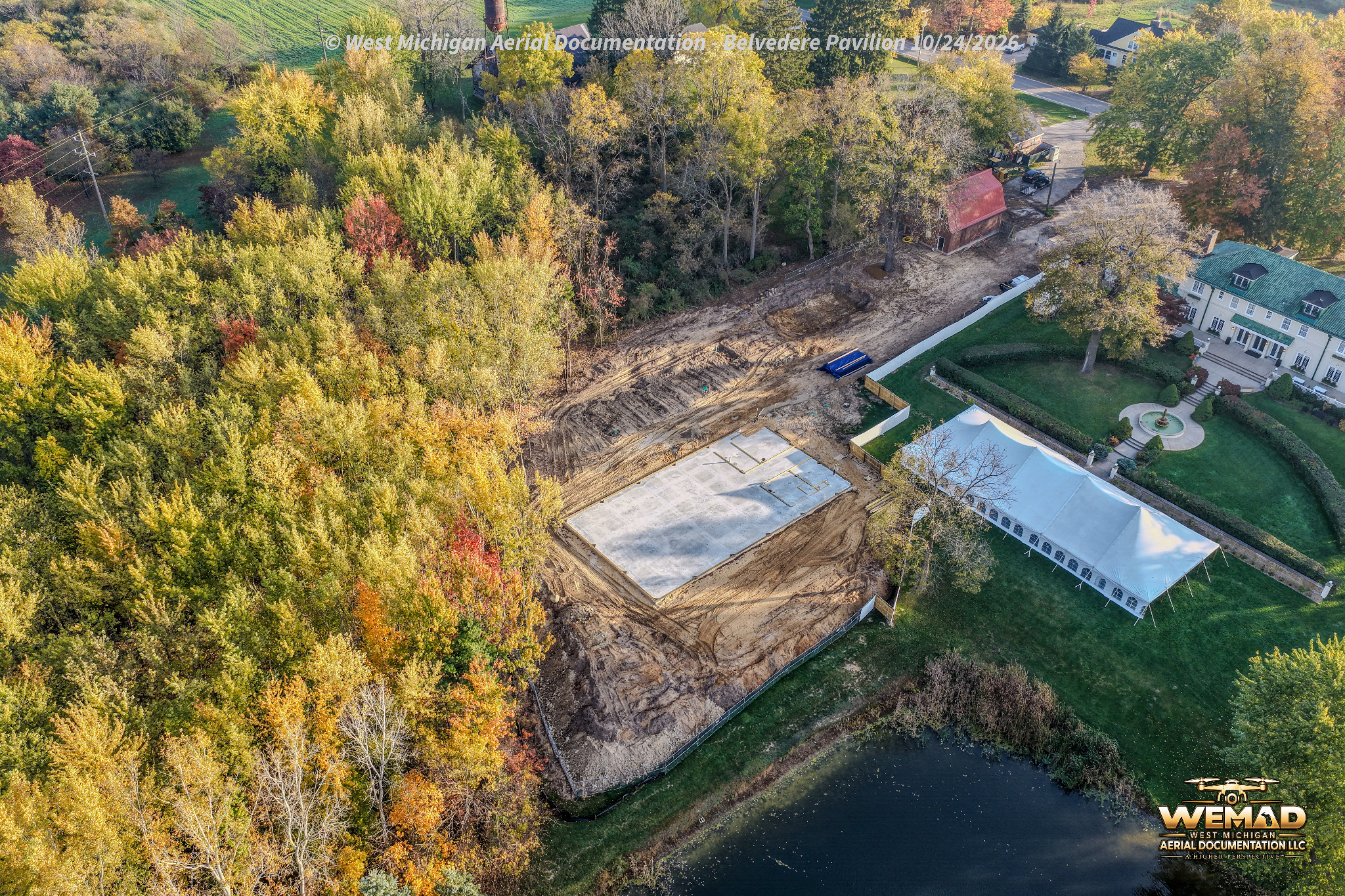
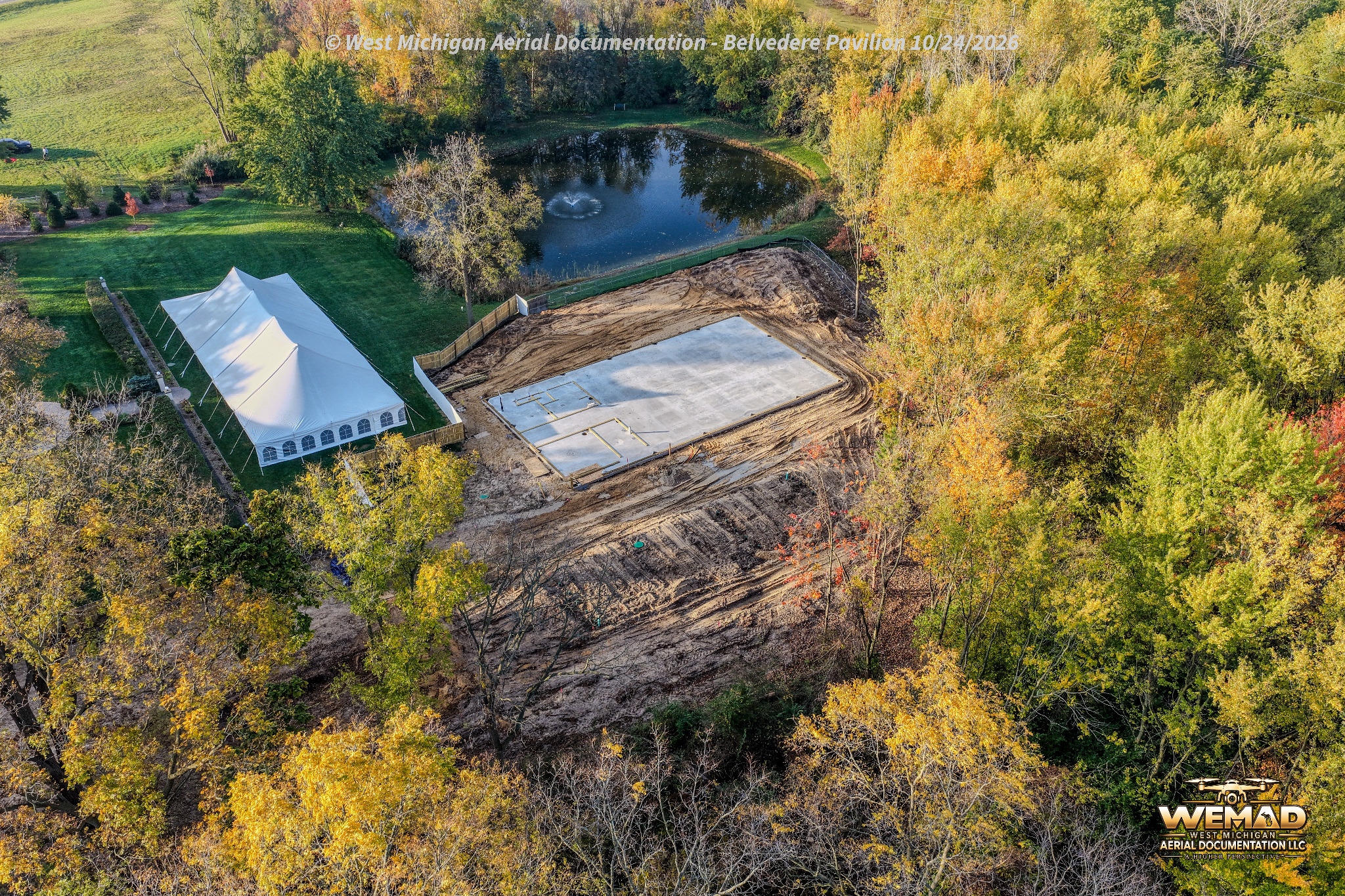
WEMAD’s October 27 surface elevation map places the new pavilion site in context with the existing venue and landscape. The October 24 aerial photographs below show the pavilion slab, surrounding site work, and grounds at Belvedere Estate & Gardens in Saugatuck.
See an earlier project update on Facebook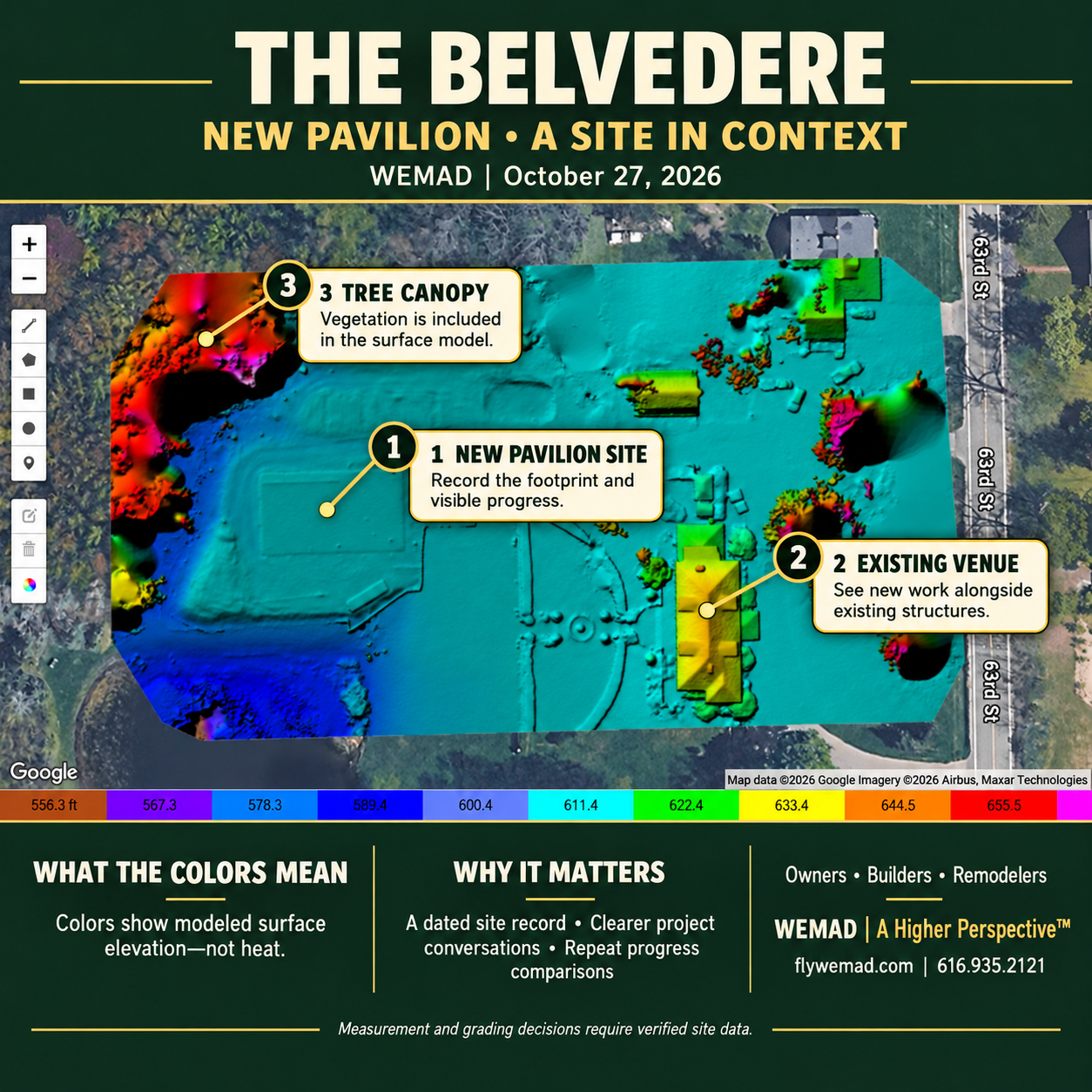
FEATURED WORK · AERIAL MAPPING & CONSTRUCTION DOCUMENTATION
This view turns overlapping drone photographs into a digital surface model, showing the modeled height of visible ground, buildings, and tree canopy. Read the colors against the elevation scale to see how the new pavilion site sits within the existing venue and landscape. Trees and rooftops are part of the model, so their colors describe those surfaces, including areas where the ground is hidden. Repeat flights at key milestones give owners, builders, and remodelers a dated reference for discussing the work and comparing visible construction progress.
Record the construction footprint and visible progress at this stage of the project.
See how the new work relates to existing structures and the surrounding property.
Recognize that vegetation is included in the surface model, alongside buildings and visible ground.
For owners, builders, and remodelers: keep a dated reference, explain work areas to the project team, and compare visible changes across repeat visits. Review the existing setting before planning additions or exterior improvements.
Colors represent modeled elevation, not heat. Numerical measurements and grading decisions require verified site data.
FOR CONTRACTORS, DEVELOPERS & OWNERS
From site preparation to the final exterior, plan aerial visits around the milestones that matter to your project.
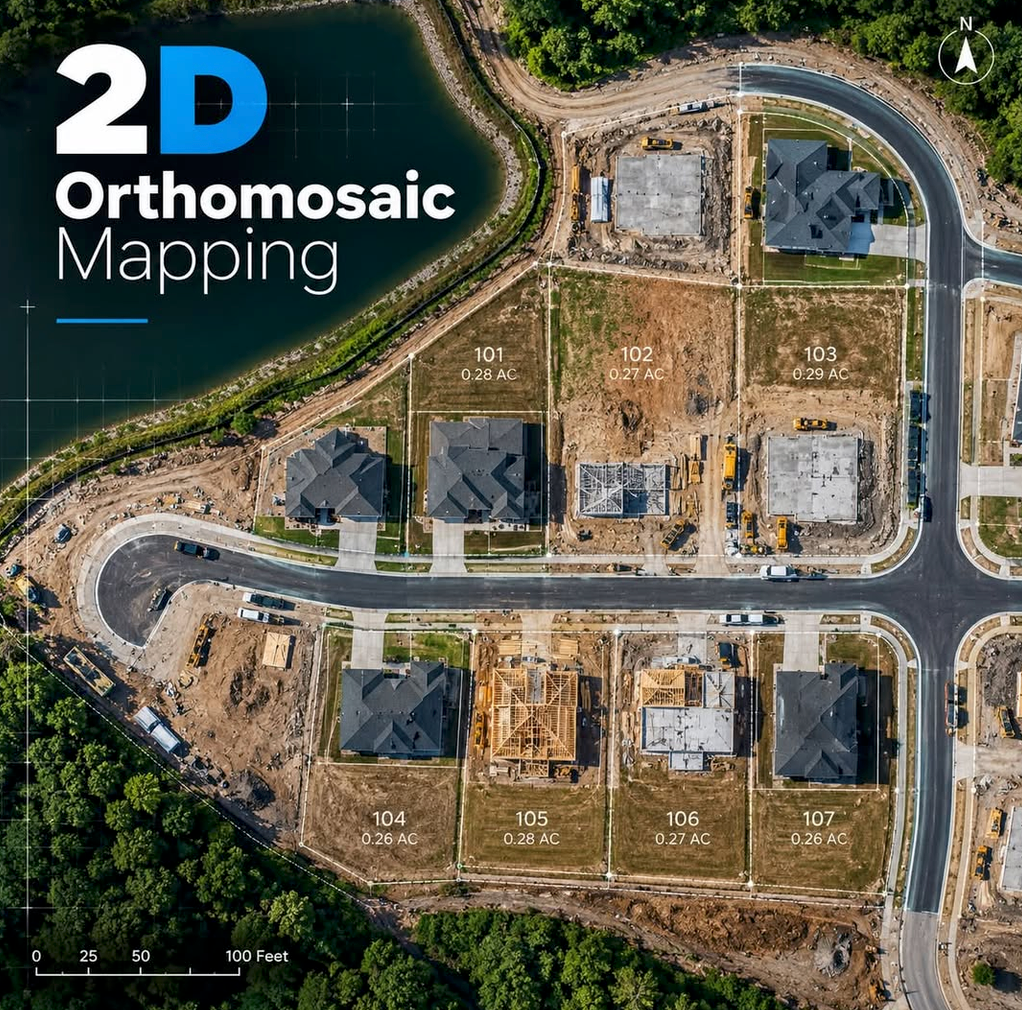
What is a 2D orthomosaic? Overlapping drone photographs are combined and corrected for perspective and scale to create one detailed overhead map of a property.
Owners can plan improvements and keep a dated property record. Builders can coordinate site work and show visible progress. Remodelers can review the existing layout before an addition or exterior renovation.
Marking the same work area for every contractor helps you compare quotes, clarify what is included, and reduce misunderstandings. Repeat visits can document visible changes as work progresses.
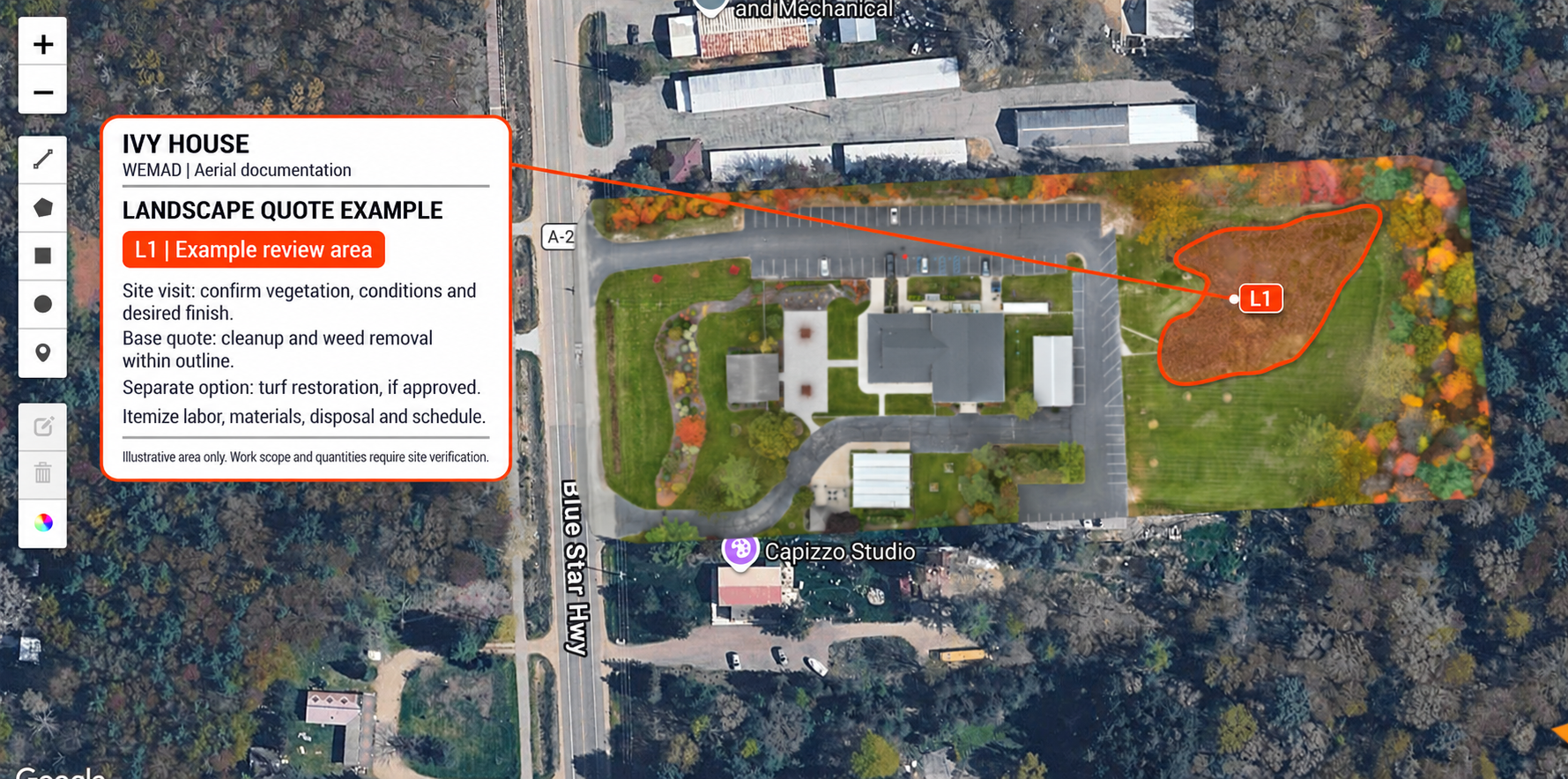
01 / LANDSCAPE REVIEW
Give every contractor the same area to assess. Separate cleanup from optional restoration so each proposal makes clear what is included.
Open full landscape example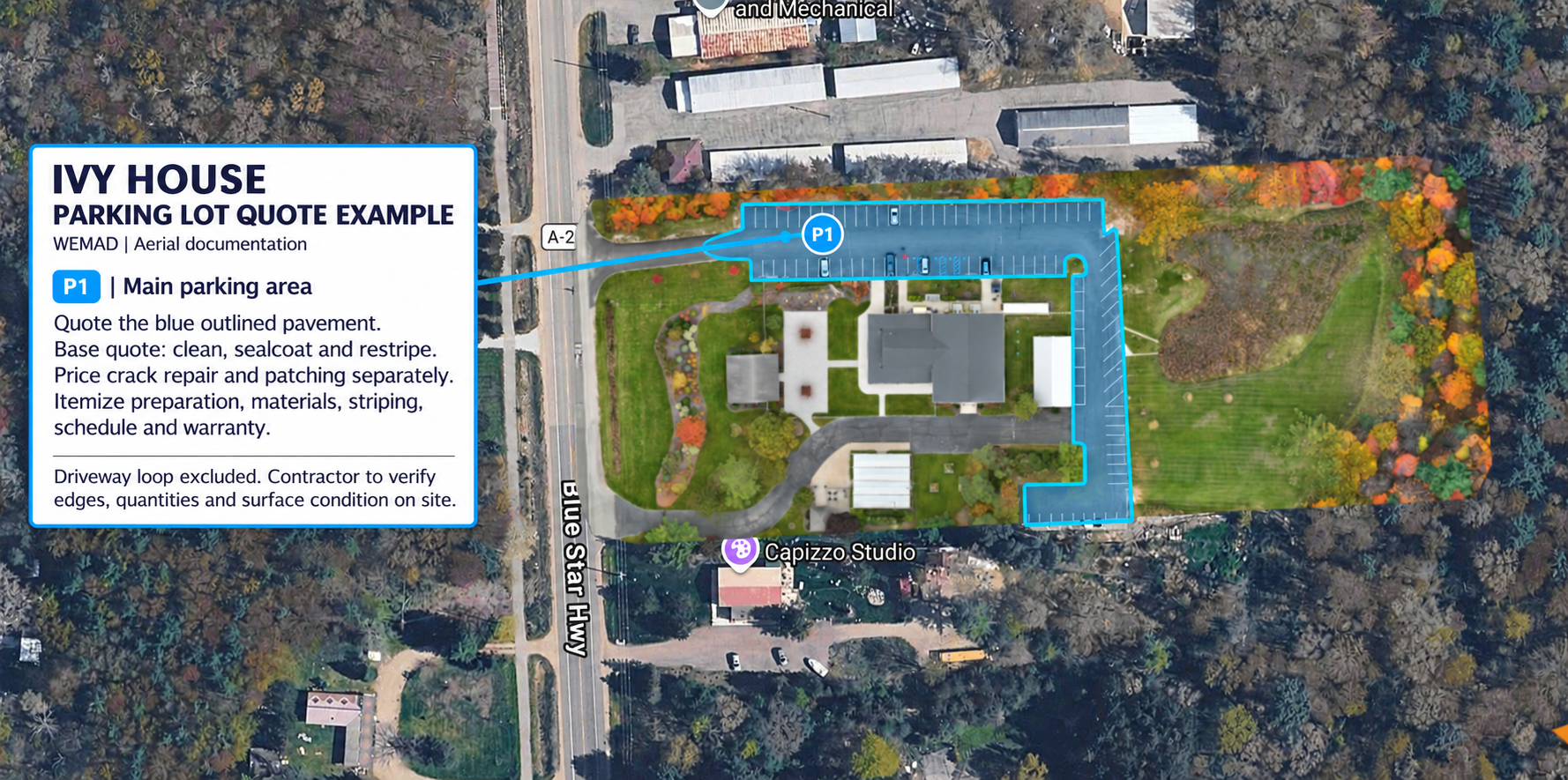
02 / PARKING LOT SCOPE
Define the parking area once, then ask each bidder to itemize cleaning, sealcoating, restriping, and repairs. A shared scope helps you compare what each price covers.
Open full parking lot exampleMY WORK · EMERSON LOUNGE · OCTOBER 27, 2026
These views come from the same WEMAD mapping capture. The photographic map records visible conditions; the elevation view emphasizes the shape of visible surfaces. Together, they give owners and project teams a clearer starting point for planning and communication.
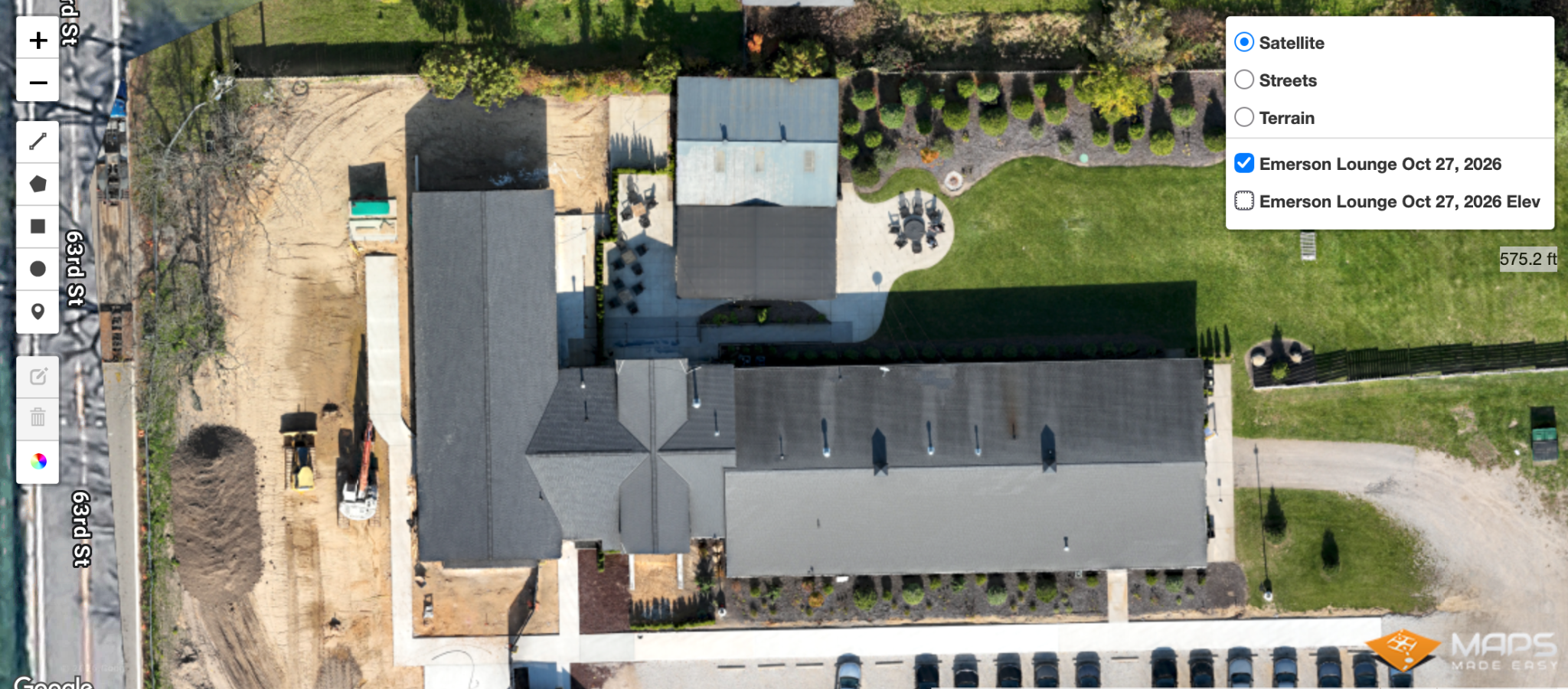
01 / PHOTOGRAPHIC ORTHOMOSAIC
Overlapping drone photographs become one corrected overhead map. Here, the roof layout, courtyard, landscaping, and area of site work can be reviewed together—a dated reference for scope discussions and future comparisons.
Open the full photo map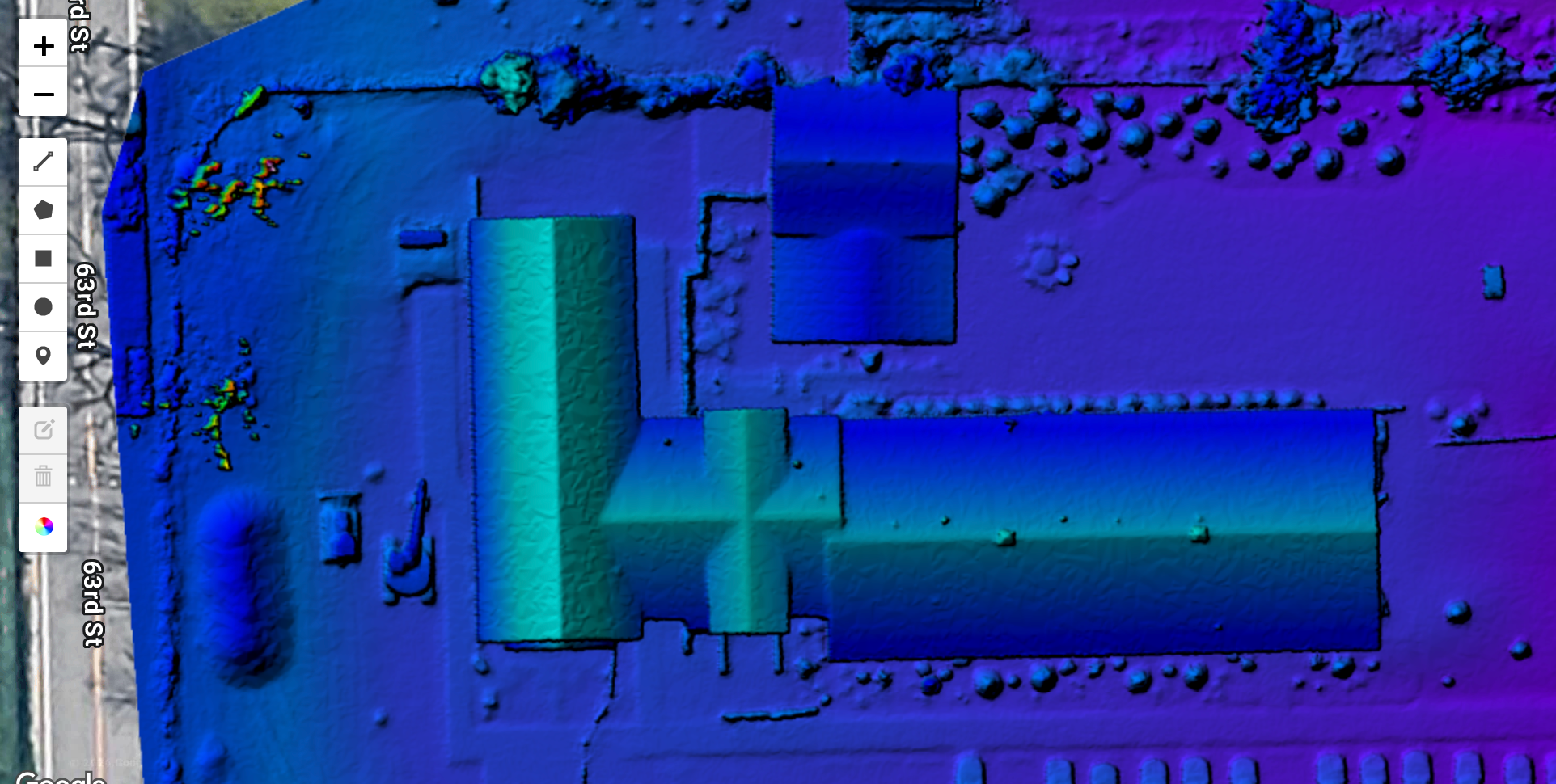
02 / SURFACE ELEVATION MODEL
The colored view displays modeled surface elevation. Colors and relief shading make differences in height easier to see across the roofs, open areas, and planting. It adds context for planning discussions and closer site investigation.
Open the full elevation viewWHY THEY LOOK DIFFERENT
Photogrammetry compares matching details in overlapping photographs to estimate the shape of visible surfaces. The orthomosaic keeps the photographic colors and detail. The elevation display uses assigned colors and shading to emphasize modeled height. Its colors represent elevation, not temperature or moisture.
Roofs and vegetation are part of this surface model; ground hidden beneath them may not be visible. Use the selected elevation scale and verified data for numerical interpretation. Drainage or grading decisions depend on verified ground elevations.
FOR OWNERS
Keep a dated record, explain improvement areas to contractors, and compare visible conditions before and after work.
FOR BUILDERS
Discuss access, work areas, and existing structures with owners and trades. Repeat capture can help communicate visible progress.
FOR REMODELERS
Review how the building, courtyard, and landscape fit together before planning an addition or exterior renovation.
2D & 3D MAPPING · AT A GLANCE
Explore how an overhead map and a 3D model can help you understand a property before, during, and after construction.
 View full image
See lots, access, and visible features together. Sample lot labels show how a map can be organized.
Illustrative example supplied for this site.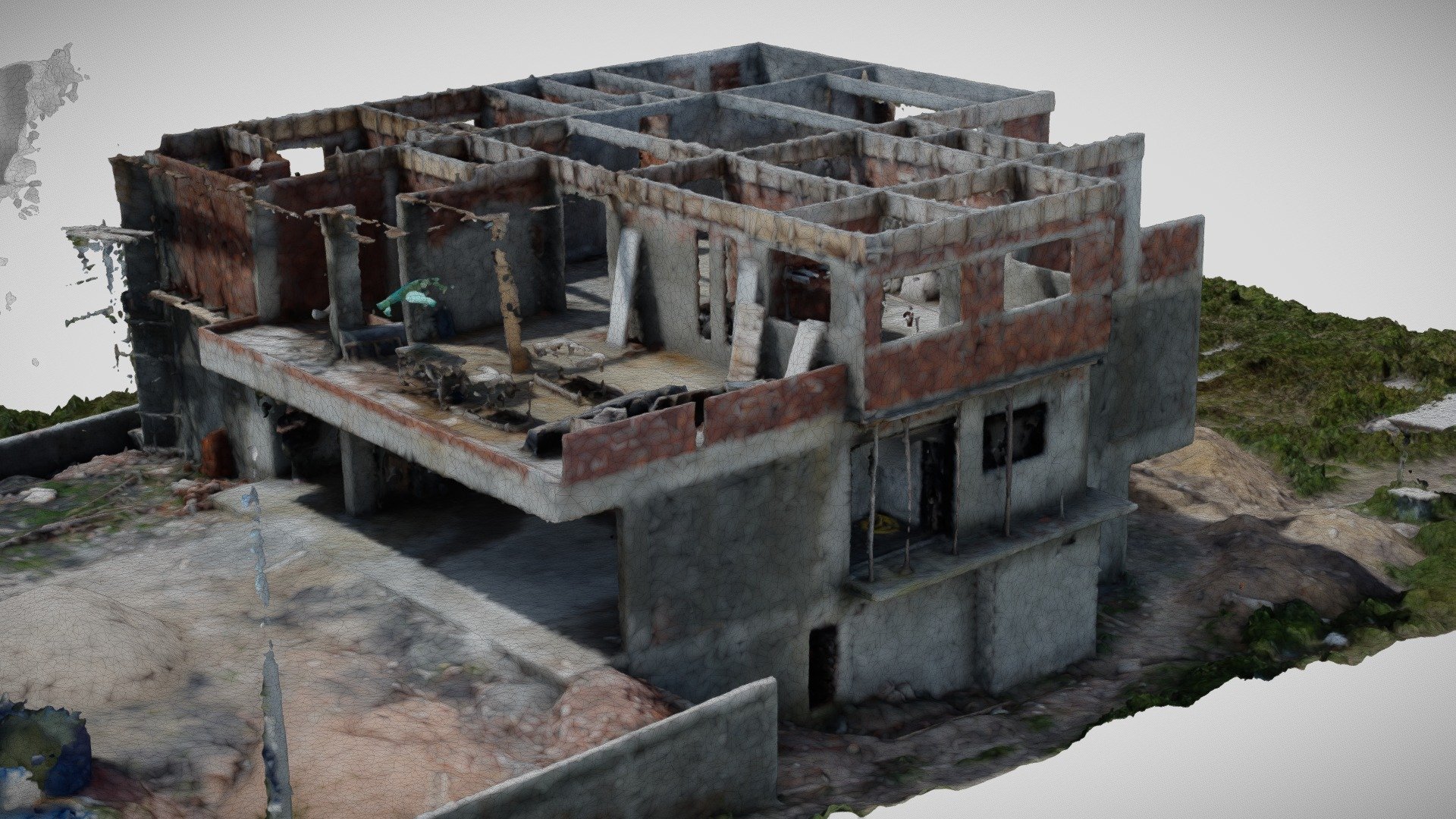 View full image
See a structure’s visible form and relationships from a different angle.
Example model: Modern_ House_ Construction by vitoremm · CC BY 4.0.THE FAMILY-HOME STORY
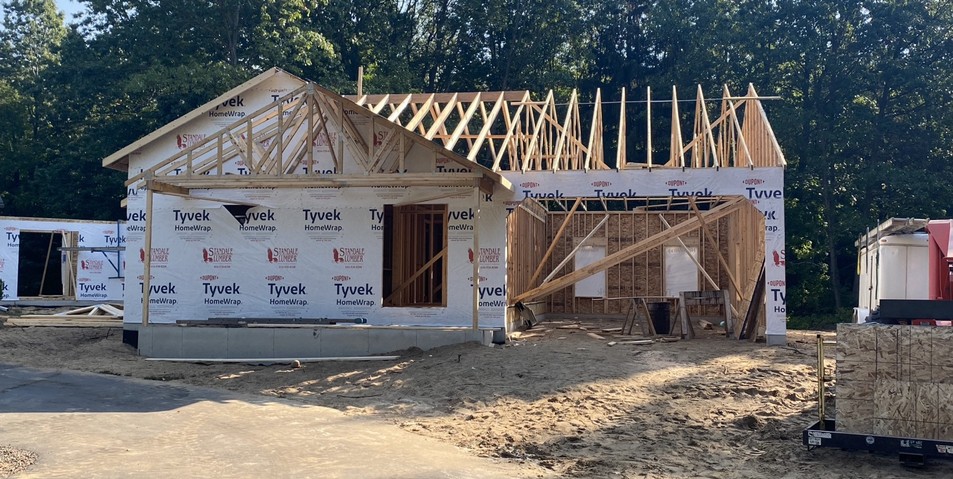
The home begins to feel real.
Original photographs from our founder’s family-home build. They illustrate the milestones that inspired WEMAD, rather than commissioned aerial or 360° work.
FIND THE DETAILS
Photo locations help you navigate a plan-linked record. Notes identify visible details and field measurements agreed before the visit.
This demonstration uses illustrative room images, a floor plan, and sample notes. Your project uses your supplied plan and the actual documentation captured for your build.
HOME DOCUMENTATION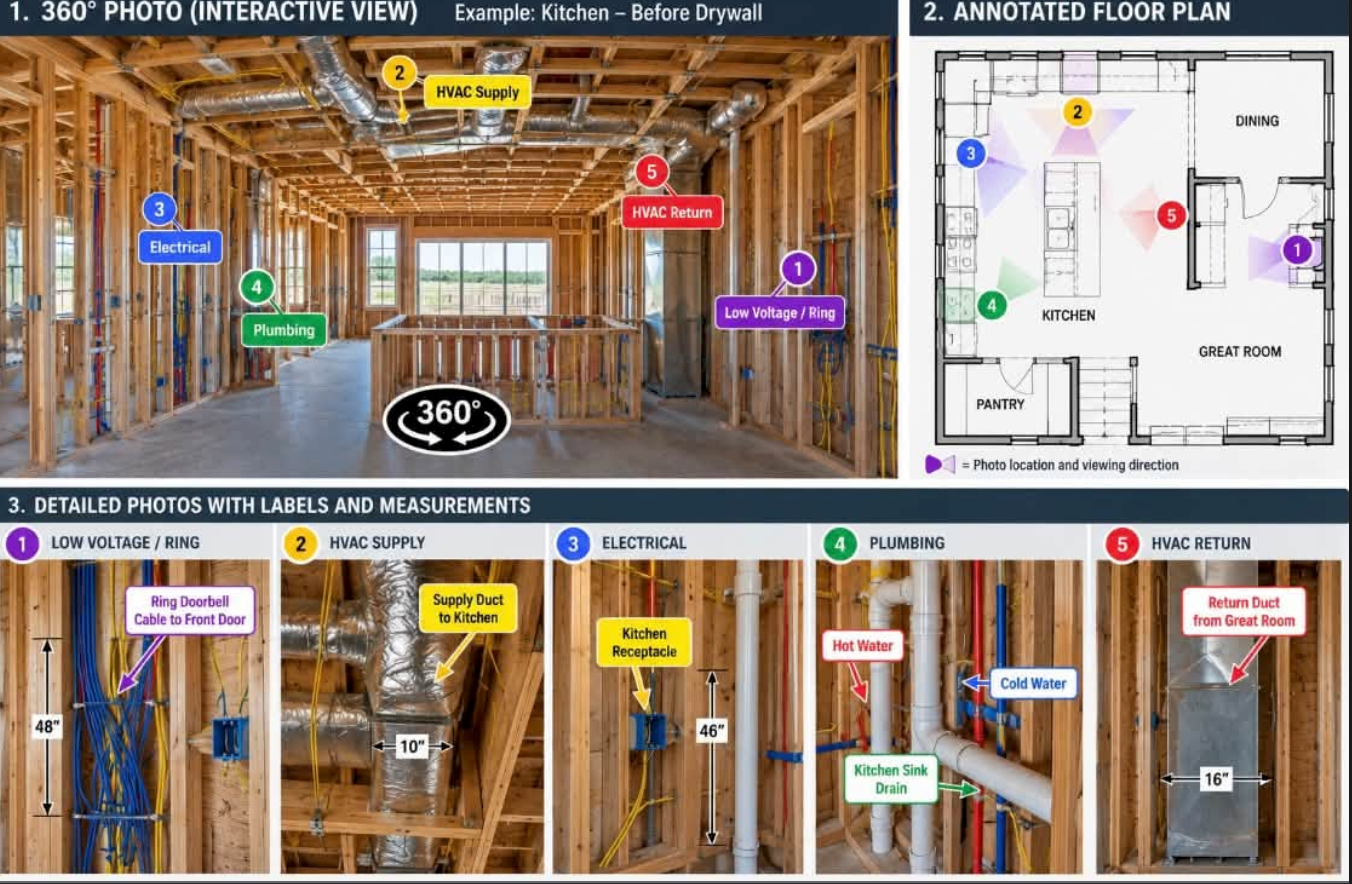
Illustrative photos, plan, and notes. Field measurements are recorded on site.
YOUR BUILD. YOUR STORY. YOUR RECORD.